Focus timer · macOS + iPhone

Twenty-five minutes,
focus mode

Pomo is a focus timer for Mac and iPhone. Add a note for the task, start the timer, and get back to work.

Download for MacSee the iPhone app
Free on Mac · iPhone 1.0 in preparation
FOCUS25:00
Focus block
25 min
Short break
5 min
Global hotkey
⌘⇧P
Lives in
Menu bar
§ What it does

Small surface. The whole technique.

FileEditView
􀙇􀊫18:42
01 · Menu bar

Visible in the menu bar

The time remaining sits in your menu bar. Click to start, pause, or skip — never a window in the way.

25 · 5 · 25 · 5 · 25 · 5 · 25 · 15
02 · Cycles

Four sessions, then a real break

Pomo runs the classic rhythm and counts the cycle — short breaks between, a long one to finish — so you don't have to.

Writing the launch post
03 · Intent

Name what you're doing

Add a task before the session starts. It stays visible while the timer is running.

§ Pomo for iPhone · current screens

Pomo for iPhone.

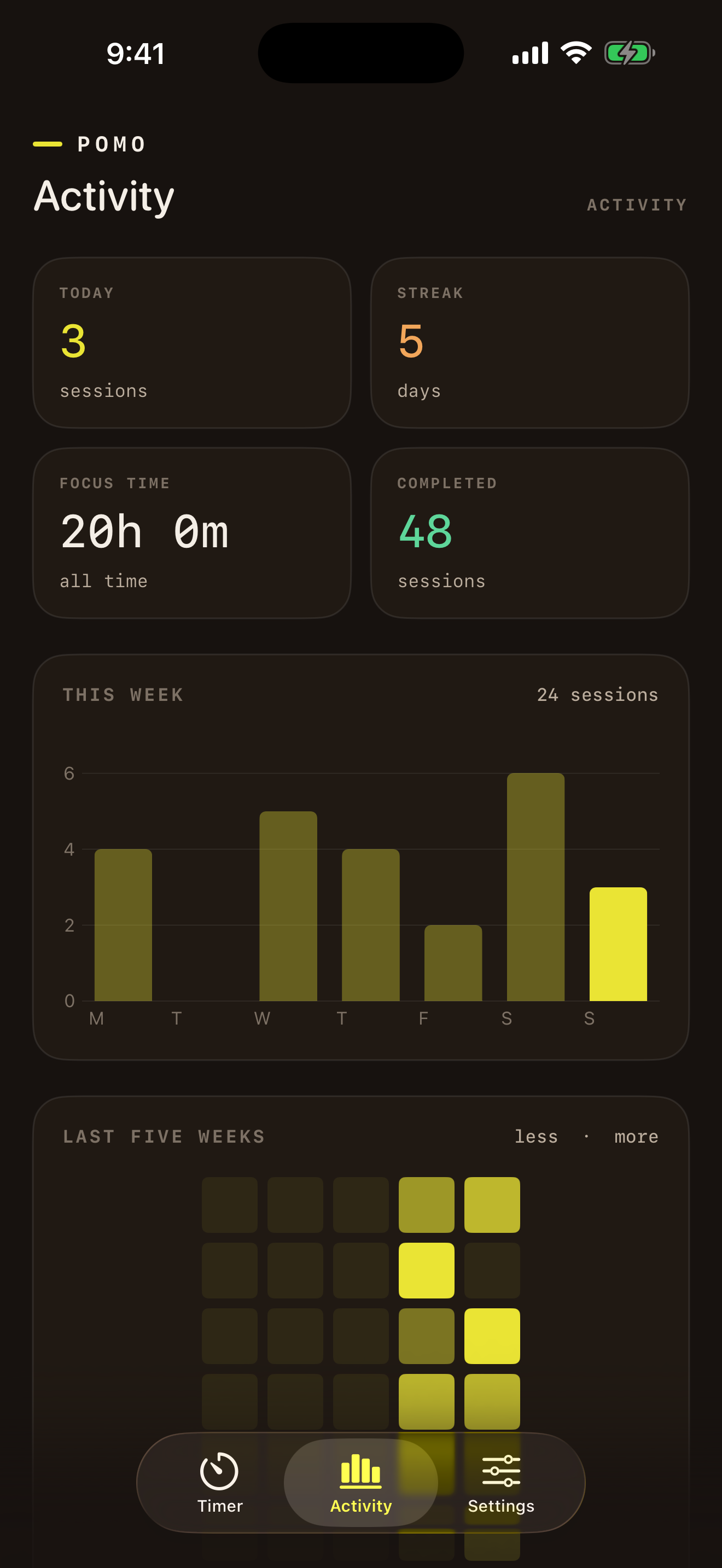
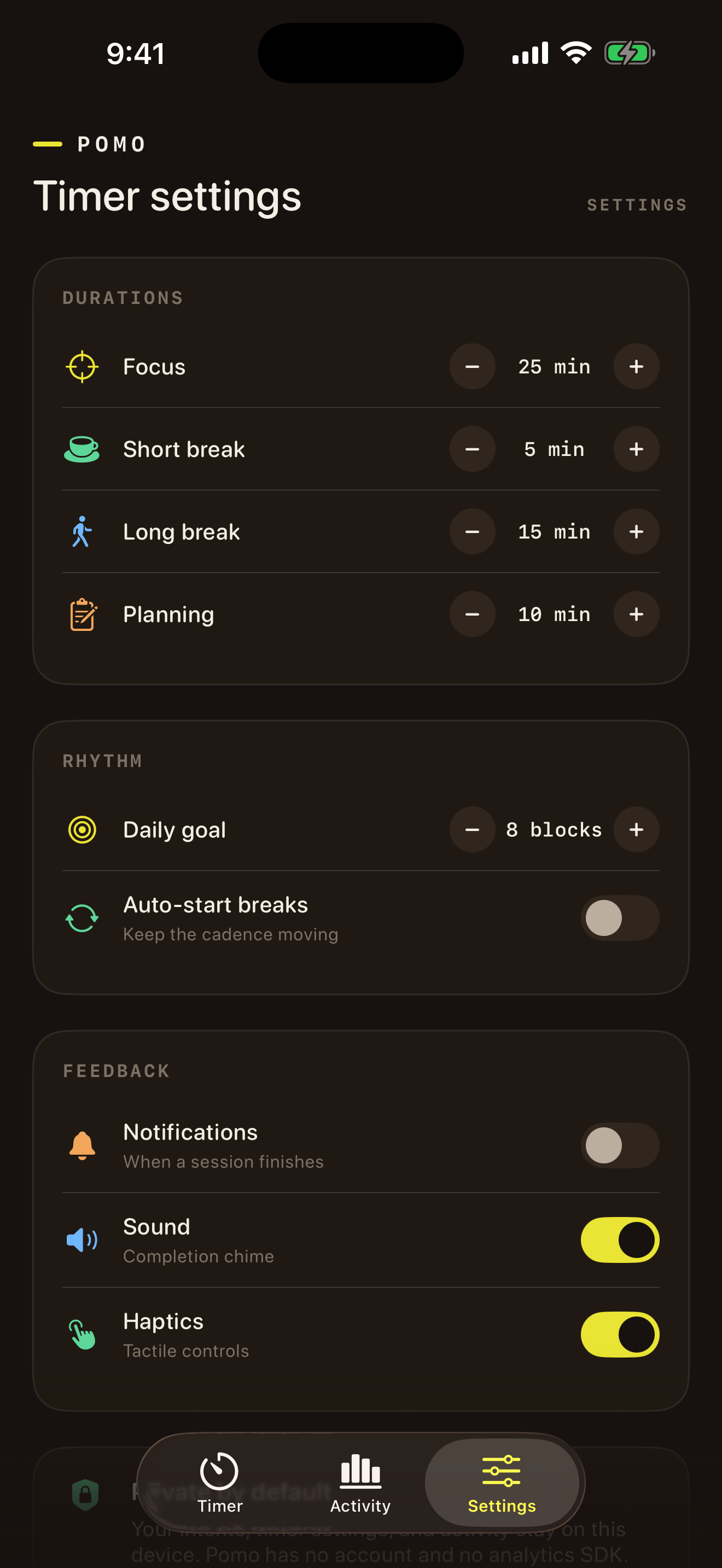
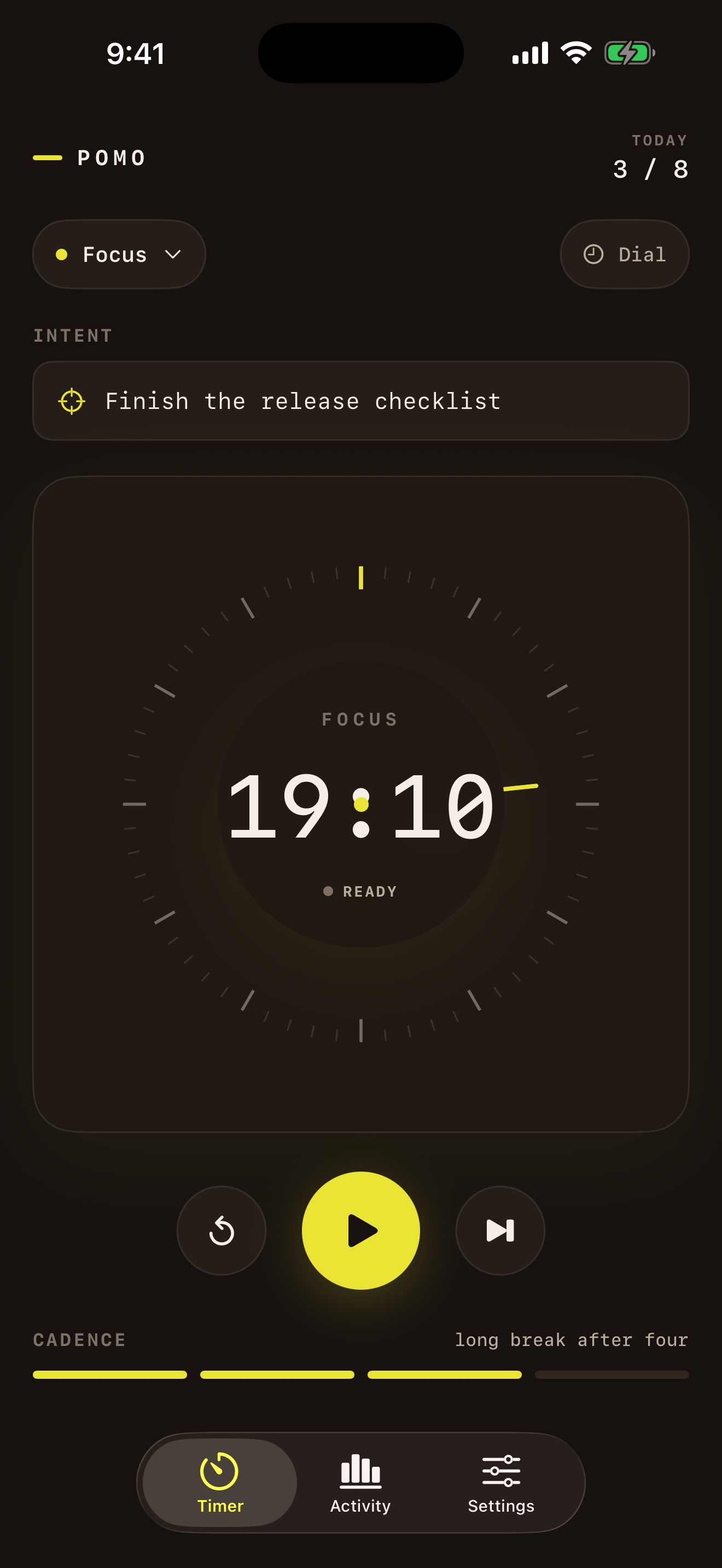
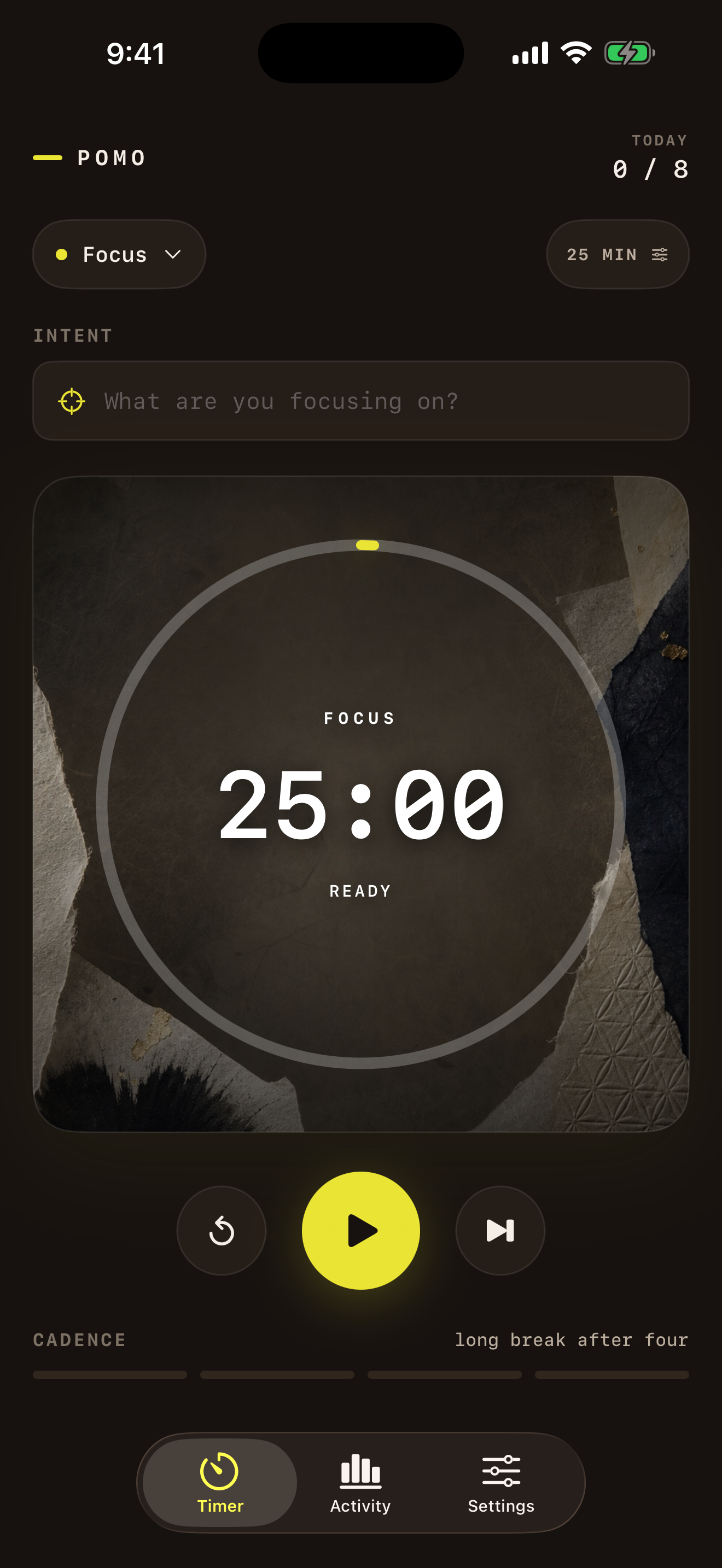
The iPhone app includes task notes, eight timer faces—including one for your own photos—adjustable sessions, and activity history stored on the device.
01Intent
Pomo for iPhone — Focus on the task.
Focus on the task.Add a note and start the timer.
02Personal
Pomo for iPhone — Use your own photo.
Use your own photo.Choose it in Settings. Change it anytime.
03Momentum
Pomo for iPhone — Review your activity.
Review your activity.See sessions, focus time, and streaks.
04Rhythm
Pomo for iPhone — Adjust the timer.
Adjust the timer.Set focus, break, and planning lengths.
§ Examples

For focused work.

A few ways to use a timed session during the day.

0125:00 / build
Build

Work through a build.

Resolve the sync edge case

Keep debugging, design, and compile work inside a timed session.

021 scene / block
Write

Draft without editing.

Finish the opening scene

Give the blank page a beginning and an end before polishing either.

034 blocks / set
Study

Study a chapter.

Review cellular respiration

Alternate deliberate study with real breaks that protect recall.

041 direction / block
Design

Choose a direction.

Choose the onboarding direction

Separate open-ended exploration from the focused pass that ships.

Shell · npm · agents

Same timer, from the terminal.

@arach/pomo drives the installed Mac app over pomo:// URLs, reads live JSON state, and opens a full-screen ANSI panel when you want a keyboard-first view.
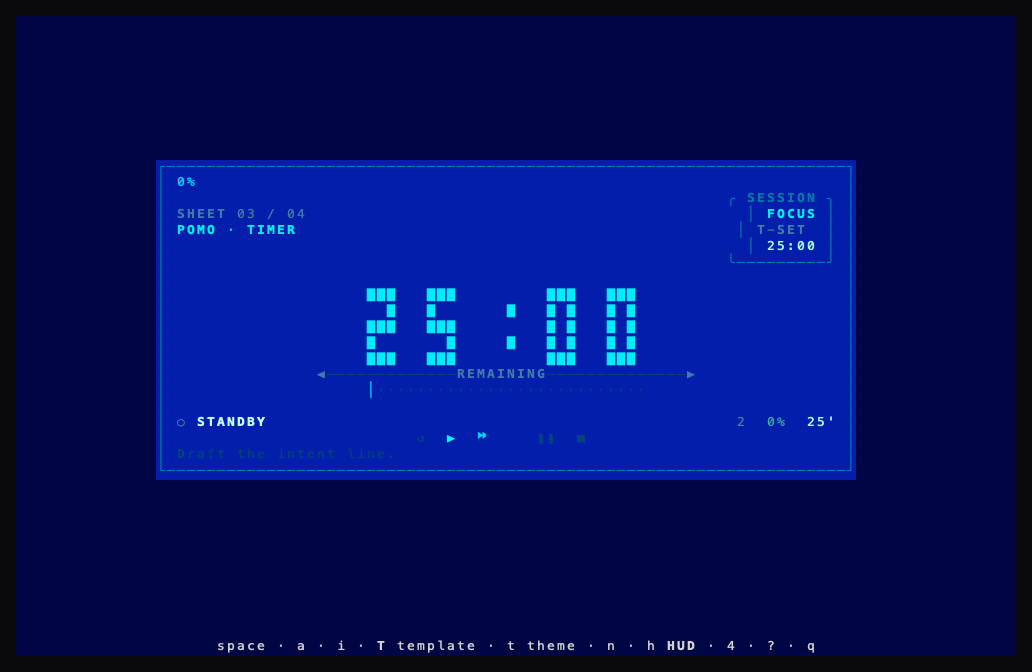
$npx @arach/pomo
  • Live ANSI terminal UI with 13 layout templates
  • 12 color themes — layout and palette are independent
  • `pomo status --json` for scripts and agents
  • `npx @arach/pomo install` to fetch the latest Mac app
Pomo terminal UI — Sheet template
§ The rhythm · one full cycle
25:00
Focus
05:00
Break
×4 →
15:00
Long break
During breaks, step away from the screen completely.
Use the long break for movement, water, or a snack.
Finish early? Review your work until the timer ends.
§ Where it comes from

One technique,
since the '80s.

“The Pomodoro Technique is a time management method that can be used for any task. The aim is to use time as a valuable ally to accomplish what we want to do the way we want to do it.”
FC
Francesco Cirillo
Creator of the Pomodoro Technique
§ The tally

It keeps score,
quietly.

Every finished session is logged. No dashboards to check, no guilt — just a quiet record of the days you showed up.

Sessions this week23
Time focused9h 35m
Current streak5 days
Last 17 weekslessmore
FebMarAprMay

Start your first session.

Download Pomo, pick a task, and give the next twenty-five minutes somewhere to go.

Download for MacView sourcev0.2.8 · macOS 13+